
Spice has temperature models and can sweep using temperature as a parameter. The diode model has two parameters that are used to model temperature response: EG, and XTI.
Spice has a very complex temperature model that is not well documented. Some insight can be found in MathWorks MATLAB documentation which is based on Berkley Spice. For this article, we will show examples of how to verify that the EG and XTI parameters you are using are correct and how to sweep a diode IV curve at different temperatures.
We will start with a solution for the Luminus MP-2016-1100 white LED as shown below. This diode model is based on the IV curve shown on page 8 of the datasheet and the temperature variation curve is found on page 9. We used the techniques discussed in “Data Analysis - Digitize and Interpolate a Plot” to digitize the datasheet. These plots are also shown below.
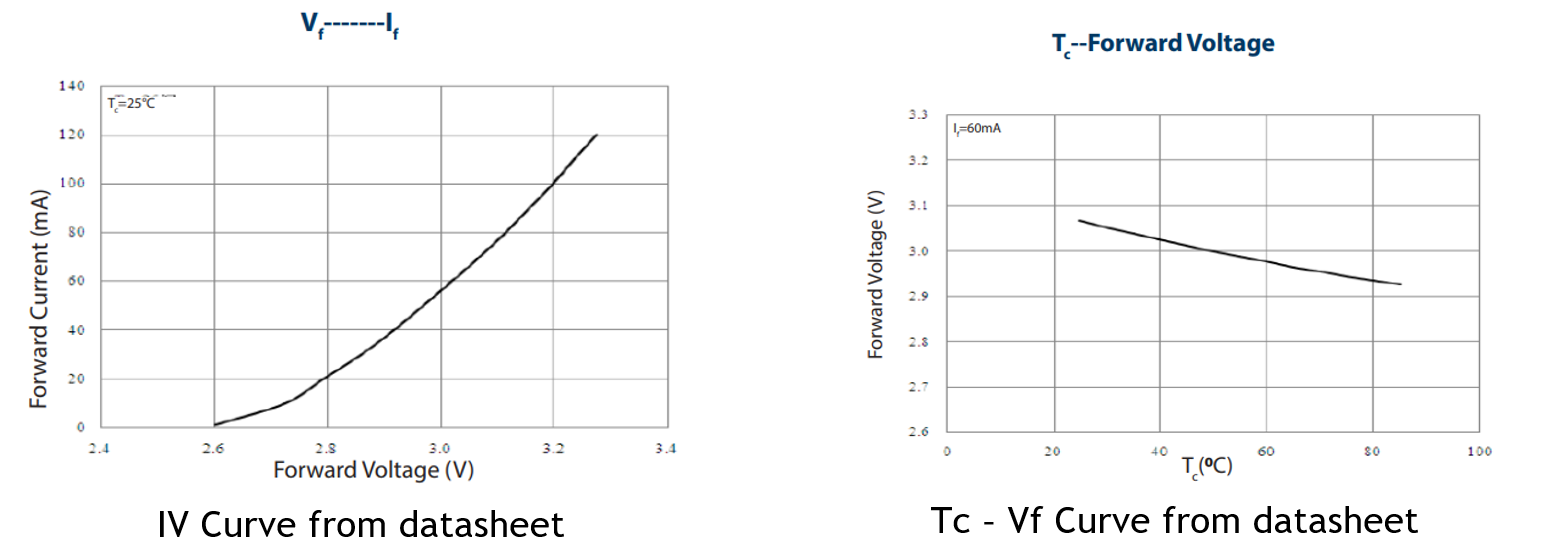
We see that the IV curve is measured at 25°C and the Vf variation with temperature is measured at a
60-mA injection level. The forward voltage of the IV curve is also measured at 60 mA and has a (digitized) value of 3.06 V.
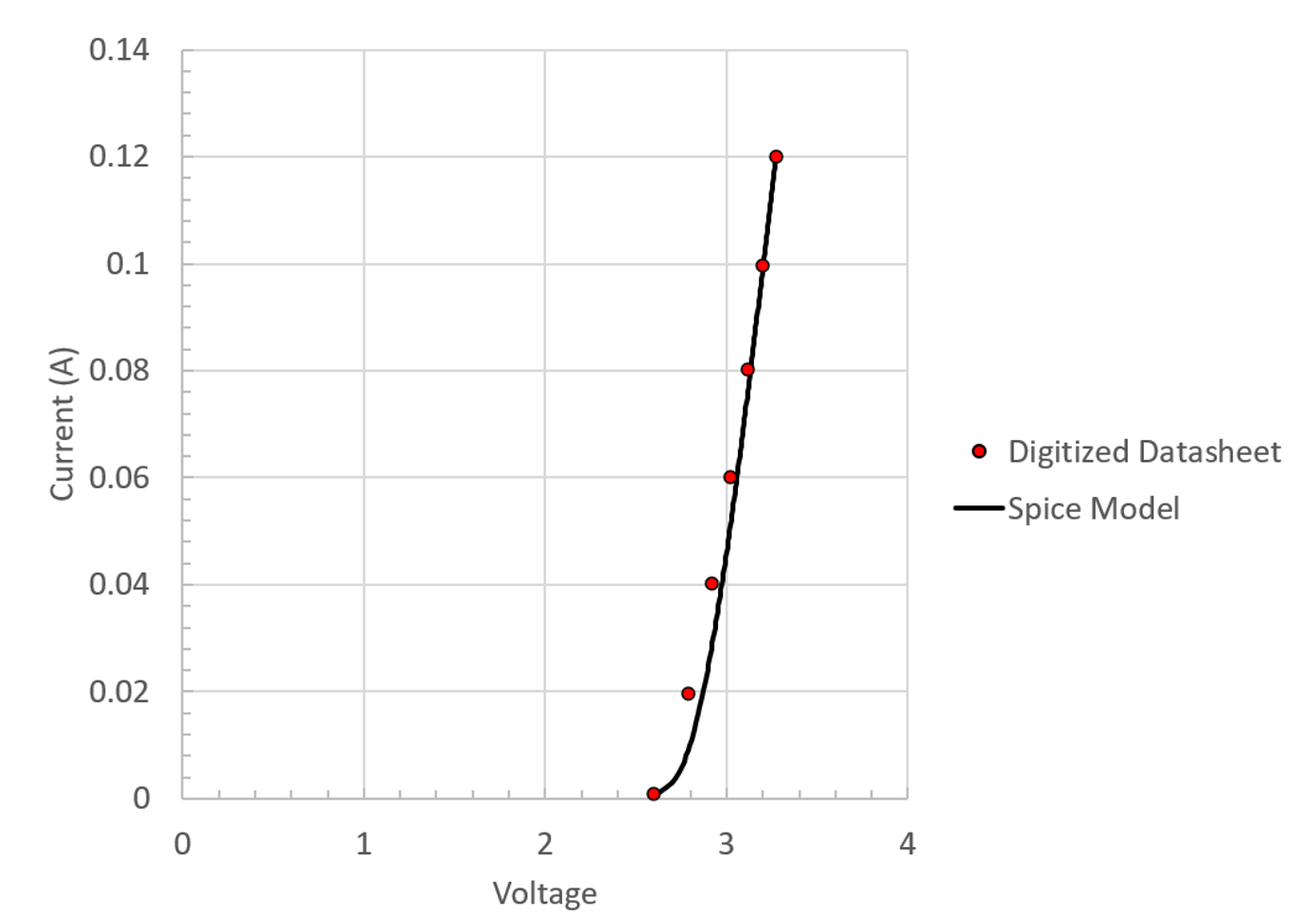
The Spice IV parameters IS, N, and RS were selected to match this Vf point and match the shape of the curve in the range we are interested in – about 50 mA to 120 mA – the normal operating range for this type of component. One might be tempted to further tweak this model by using moderately higher N, but it is good enough for this example.
The temperature coefficients of the Spice model are selected as follows.
Set the value of EG to correspond to the peak wavelength of the LED chip. Use the equation that relates the equivalence between photon energy and wavelength. This is not quite right but is the best value to use for EG given the type of information that is available for LEDs. Eph is in eV and wavelength is in nm.
In forward bias, Spice modifies the leakage current to calculate temperature-voltage effects. As we can see in the equation below, XTI, EG and N participate in the numerical calculation.
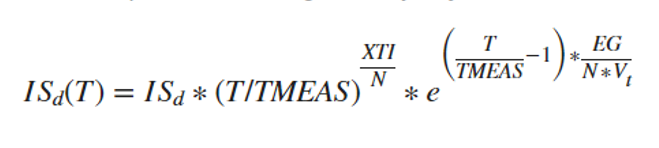
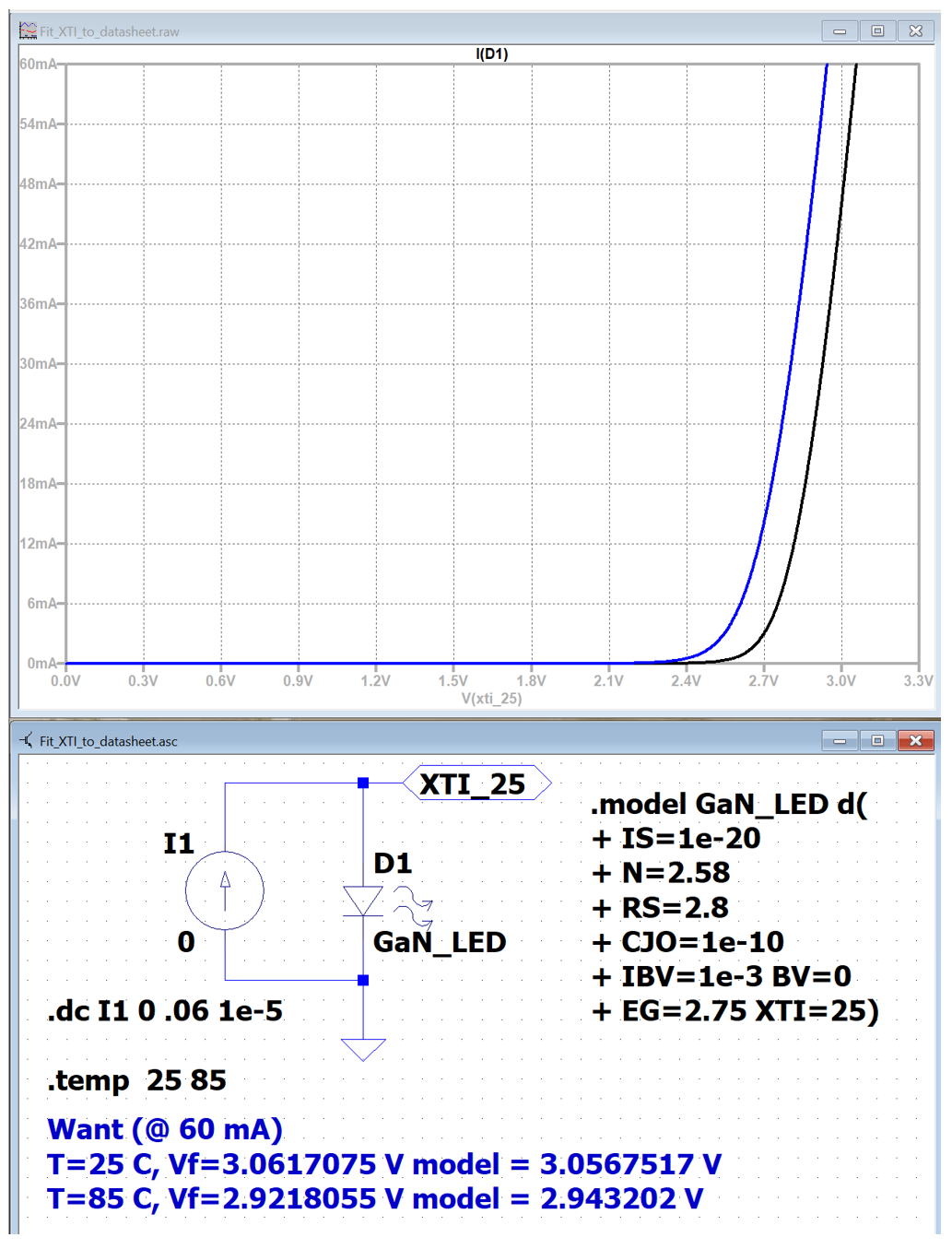
Since we have selected N based on fitting the shape of IV curve at 25°C, and selected EG based on the light emission wavelength of the LED, XTI is the only variable that needs to be fit to the datasheet voltage data. By trial and error, these data are best fit with an XTI value of 25. This could also be further refined but is good enough.
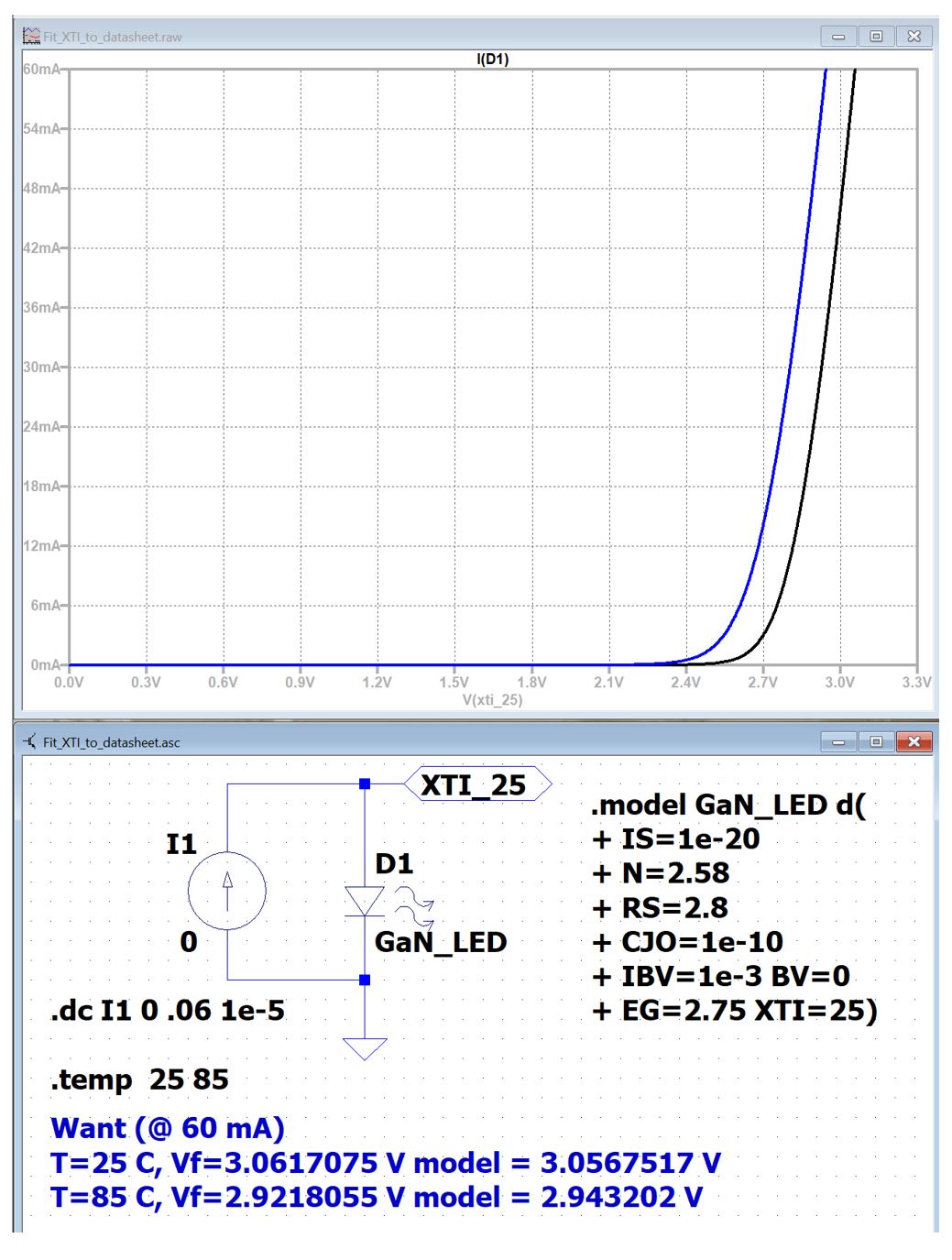
Some things to note:
- Since N participates in the leakage current correction calculation, XTI is not a material constant (EG basically is a material constant) and needs to be adjusted if a range of N values are used in a simulation. Modern LEDs are based on multi-quantum wells (MQW) and the physics of these are why N has such a large potential range in LED devices.
- If the values for XTI and EG are omitted from a model, Spice uses default values based on silicon homojunctions. These are most definitely wrong for any type of LED. Always sweep a model and compare with the data sheet values.
- Make sure the voltage is decreasing when the temperature is increasing. If XTI is wrong, this can be reversed. Look at the plot legend.
- It is becoming increasingly apparent that learning to automate these processes with Python is desirable.
Useful Spice Resources
LTspice Simulator | Analog Devices
LTspice: Adding Third-Party Models | Analog Devices
LTspice Annotated and Expanded Help* - LTwiki-Wiki for LTspice
Simon Bramble | Analog Circuit Design | LTspice Tutorials
Related Luminus Help Center Articles
Electrical – How do I extract Spice IV parameters from an LED datasheet?
Electrical – Can I simulate a set of LED IV curves that have a single Vf bin?
Electrical – Can I calculate LED lumens with Spice?
Electrical - What is Current Hogging in Series Parallel Designs?
Electrical - How do I sweep an LED IV curve in Spice?
Electrical - How do I insert a diode file into LTspice
Electrical - Can I add reference lines to Spice plot panes?
Data Analysis - Using Python to run LTspice as a remote process.
--------------------------------------------------------------------------------------------------------------------
Luminus Website https://www.luminus.com/
Luminus Product Information (datasheets): https://www.luminus.com/products
Luminus Design Support (ray files, calculators, ecosystem items: [power supplies, lenses, heatsinks]): https://www.luminus.com/resources
Luminus Product Information sorted by Applications: https://www.luminus.com/applications
Where to buy Samples of Luminus LEDs: https://www.luminus.com/contact/wheretobuy.
Comments
0 comments
Please sign in to leave a comment.