
Short answer: You have too many pixels in your polar detector.
Here is an example using a Zemax [1] simulation. We use a "source radial" ray file to demonstrate this effect which eliminates any possible contributing effects from the ray file measurement and generation process.
Source radial elements in Zemax generate random rays with a user defined ray count and a beam pattern defined by a data table in the software. These rays all have exactly the same magnitude. We use a perfect Lambertian emitter profile with a 1 mm2 square source area [2]. Figure 1 shows the input beam profile and the Zemax source visualization.
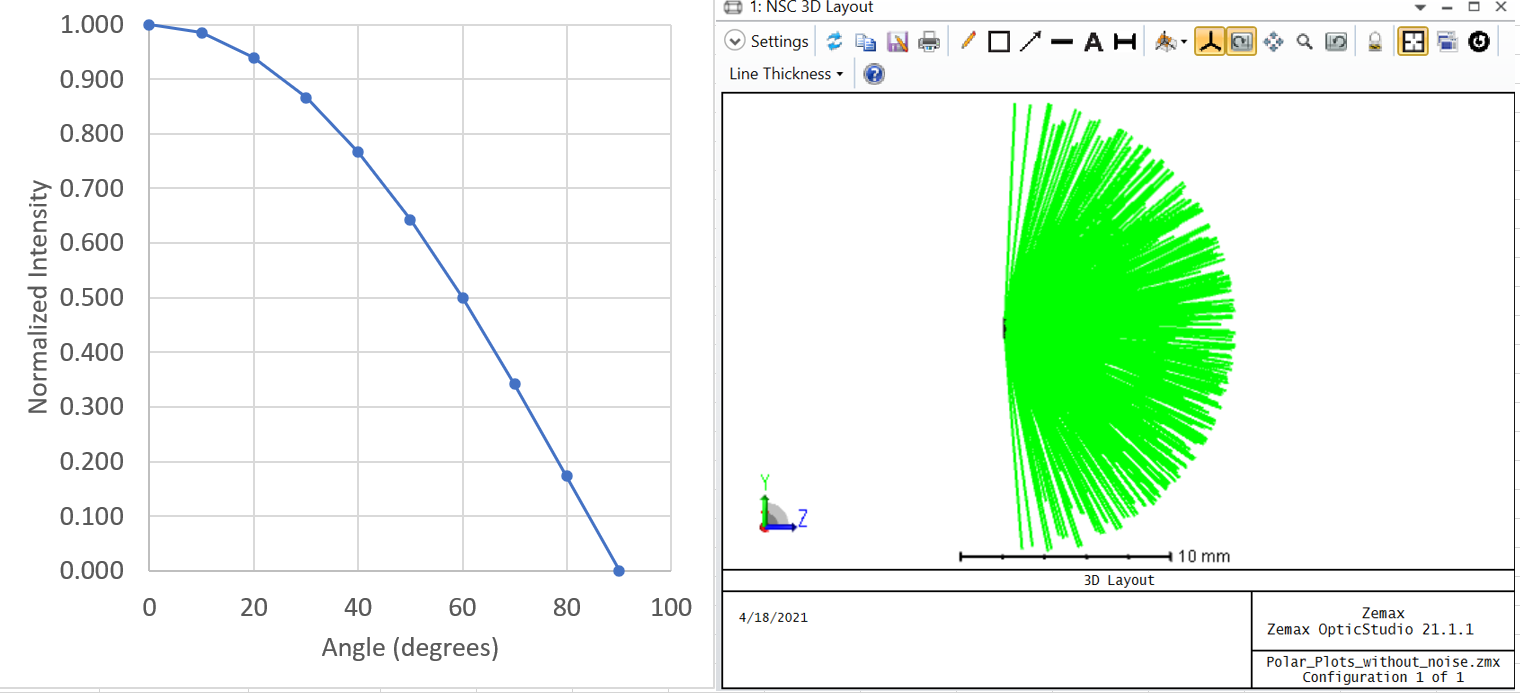
Figure 1. Lambertian (cosine) beam profile and Zemax visualization with 500 layout rays.
Figure 2 shows the radiation pattern plots for a simulation with the same ray count (500,000 rays) and two different polar detector settings. The plots on the right use the default Zemax polar detector settings and the plots on the left show the results when the polar detector settings are modified so that the individual pixels are larger than these default settings.
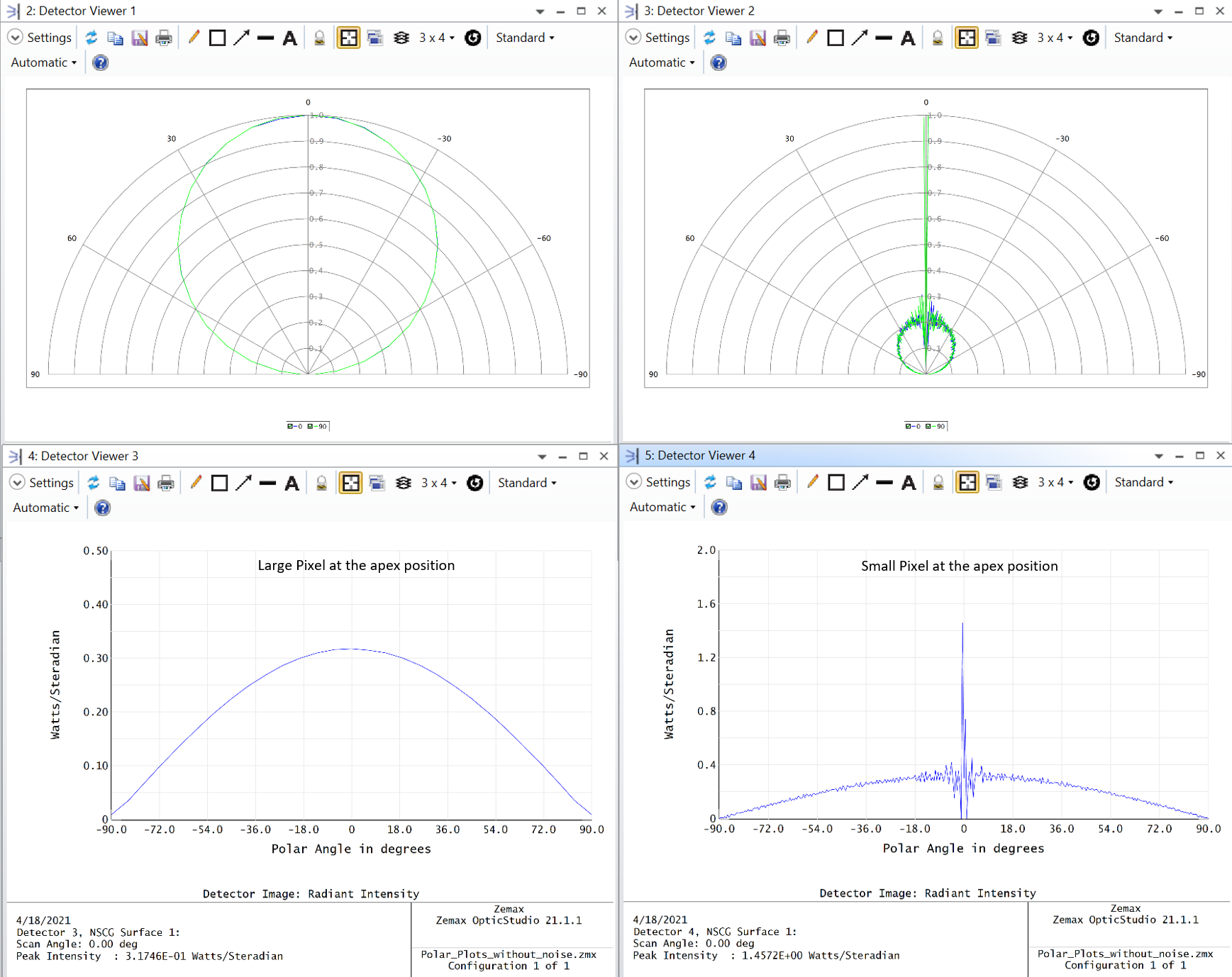 Figure 2. Comparison of the angular simulations for the same source file using different pixel sizes in the polar detector.
Optical modeling software packages use the number and magnitude of the rays hitting the apex detector to scale the plot. If the apex detector pixel is too small, the small number of rays hitting it produces a distorted result. Enlarging the apex pixel size reduces this effect and will produce plots that are more representative of the actual radiation pattern.
In this example, the small pixel at the apex produces a peak at the apex position. In other simulations, the same root cause will produce a dip at the apex position.
--------------------------------------------------------------------------------------------------------------------
Luminus Website https://www.luminus.com/
Luminus Product Information (datasheets): go to the main page and select Products and then select the type of product you are interested in.
Luminus Design Support (ray files, calculators, ecosystem items: [power supplies, lenses, heatsinks]): go to the main page and select Resources & Tools and select the item you are interested in.
Luminus Product Information sorted by Applications: go to the main page and select Applications.
Where to buy Samples of Luminus LEDs: https://www.luminus.com/contact/wheretobuy.
--------------------------------------------------------------------------------------------------------------------
Technical Support Contact Information: techsupport@luminus.com
Sales Support Contact Information: sales@luminus.com
Customer Service Support Contact Information: cs@luminus.com
Comments
0 comments
Please sign in to leave a comment.